


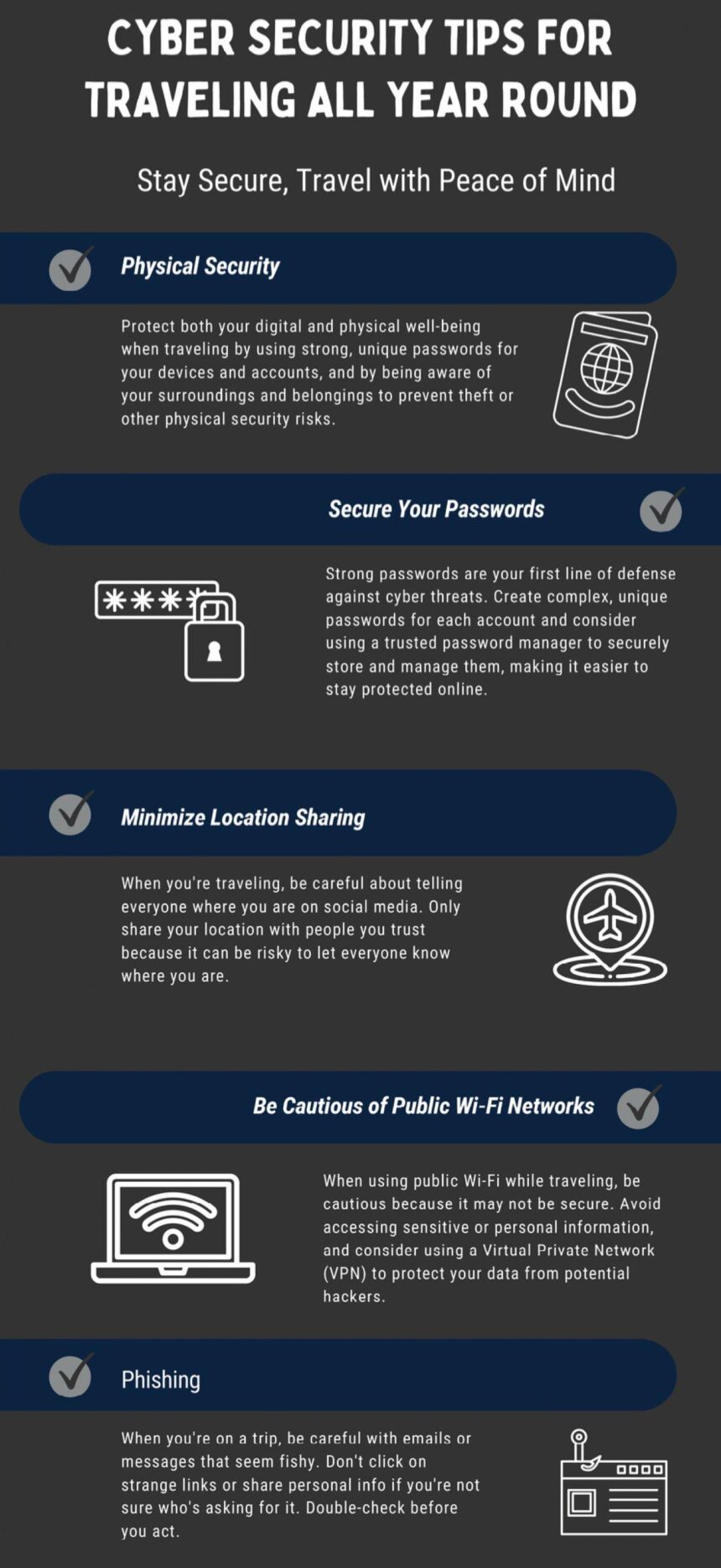
As more travelers rely on wireless internet to stay connected abroad, ensuring the safety of personal data on public Wi-Fi networks has become a critical concern. With cyber threats ranging from data theft to identity fraud rising in frequency, understanding how to securely access Wi-Fi while on the move is essential. This article explores practical steps and expert advice on maintaining online security during travel, helping users safeguard their information without sacrificing convenience.
Choosing Secure Networks in Public Spaces
When accessing Wi-Fi networks in airports, cafes, or hotels, prioritizing secure connections can significantly reduce the risk of cyber threats. Always look for networks that require a password and avoid those labeled as “free” or “open” without any security. These unsecured networks are often hunting grounds for hackers aiming to intercept your data. In addition, confirm the network name with staff to avoid connecting to deceptive hotspots that mimic legitimate names but are designed to steal information.
To better understand the security levels of common public Wi-Fi types, consider the following quick reference table:
| Network Type | Security Level | Recommended Use |
|---|---|---|
| Open (No password) | Low | Avoid sensitive transactions |
| Password-Protected | Medium | Safe for general browsing |
| Encrypted (WPA2/WPA3) | High | Preferred for personal/business use |
Enhancing security also means actively managing network settings. Disable automatic connection features on your device to prevent unintended links to unsafe networks, and consider using a virtual private network (VPN) for an additional layer of encryption and privacy while on the move.
Essential Tools to Protect Your Data on the Go
When traveling, safeguarding sensitive information requires more than just caution—it demands effective tools designed to counteract common cyber threats encountered on public networks.A reliable VPN (Virtual Private Network) is paramount, encrypting your internet connection and masking your IP address to maintain privacy. Additionally, portable hardware encryption devices, such as encrypted USB drives, protect essential files from unauthorized access even if your device is lost or stolen. Effective password managers with multi-factor authentication capabilities also play a crucial role, ensuring your credentials remain secure without the hassle of memorizing complex passwords.
To stay a step ahead, consider integrating these tools into your travel routine:
- VPN Applications: NordVPN, ExpressVPN, CyberGhost
- Encrypted Storage: Kingston DataTraveler Locker+, SanDisk Extreme Pro
- Password Managers: LastPass, 1Password, Bitwarden
| Tool | Primary Use | Platform |
|---|---|---|
| NordVPN | Encrypting internet traffic | Windows, macOS, iOS, Android |
| Kingston DataTraveler | Secure file storage | USB Devices |
| LastPass | Password management | Web, Mobile Apps |
Best Practices for Device Settings Abroad
When connecting your devices to foreign networks, it’s crucial to adjust your settings to minimize security risks.Start by disabling automatic Wi-Fi connections to prevent your device from joining unsecured or malicious networks without your consent. Keep your firewall activated and update all software and apps before departure to patch any vulnerabilities that hackers could exploit. Turning off file sharing and avoiding the use of public Wi-Fi for sensitive activities like online banking or accessing personal emails can further reduce exposure. Always use a virtual private network (VPN) to encrypt your internet traffic, ensuring that your data stays private even on public networks.
Here’s a quick checklist to configure your device safely:
- Disable Auto-Connect: Never allow your device to join open networks automatically.
- Use Strong Passwords: Set complex device and app passwords.
- Enable Two-Factor Authentication: Add an extra layer of security on key accounts.
- Turn Off Sharing Options: File and printer sharing should remain off.
- Keep Bluetooth Off: Only activate when needed to avoid phishing attempts.
| Setting | Recommended Action | Benefit |
|---|---|---|
| Auto-Join Networks | Disable | Prevents unwanted connections |
| VPN Usage | Always On | Encrypts data on public Wi-Fi |
| Firewall | Enable | Blocks unauthorized access |
| File Sharing | Turn Off | Protects personal files |
| Bluetooth | Disable unless needed | Prevents phishing and hacking |
Recognizing and Avoiding Common Wi-Fi Scams
Travelers often fall prey to deceptive Wi-Fi networks masquerading as legitimate hotspots in popular locations such as airports, cafes, or hotels. These fake networks, sometimes named similarly to reputable businesses, are set up by cybercriminals aiming to intercept sensitive information or distribute malware.Always verify the exact network name with staff before connecting and avoid networks that require you to download software or provide personal details for access. Another red flag is a network that lacks password protection or prompts for unusual permissions upon connection.
To stay a step ahead of scammers, it’s crucial to use tools and habits that bolster your digital defense:
- Utilize VPN services to encrypt your data and mask your browsing activity.
- Disable automatic Wi-Fi connections on your devices to prevent accidental links to rogue hotspots.
- Keep your device’s software and security patches up to date to block exploitation of known vulnerabilities.
| Warning Sign | Recommended Action |
|---|---|
| Unusual or generic Wi-Fi names | Confirm with venue staff before connecting |
| Access requires downloads or permissions | Never download unknown software; disconnect immediately |
| Open network with no password | Use VPN or avoid if possible |
Final Thoughts
In an increasingly connected world, staying safe on public Wi-Fi while traveling is more critical than ever. By following best practices—such as using virtual private networks, avoiding sensitive transactions on unsecured networks, and keeping your devices updated—travelers can significantly reduce their risk of cyber threats. Staying informed and vigilant ensures that the convenience of wireless connectivity does not come at the cost of personal security. As travel resumes and Wi-Fi hotspots abound, safe browsing habits remain an essential part of every journey.